
Prepare a product or category quantity offer
Use Buy a quantity, get a special price when an offer is based on qualifying products or categories. Write down the intended offer before entering a rule: which items qualify, what the customer must buy and how often the offer should apply.
Define the qualifying range
- Open Catalogue & Stock → Discounts/Promotions/Offers and select Add discount.
- Enter a clear Title and useful Description.
- Choose Buy a quantity, get a special price for Discount type?.
- Under What’s discounted?, set Qualify type? to All products and categories, Specific Products or Specific Categories.
- For a specific selection, use Qualifying product or category to find the intended records. With Specific Categories, review Include sub-categories? explicitly.
- Under What’s excluded?, review Exclusion type?. Specific selections expose an Excluded product or category field; Specific Categories also exposes Exclude sub-categories?.
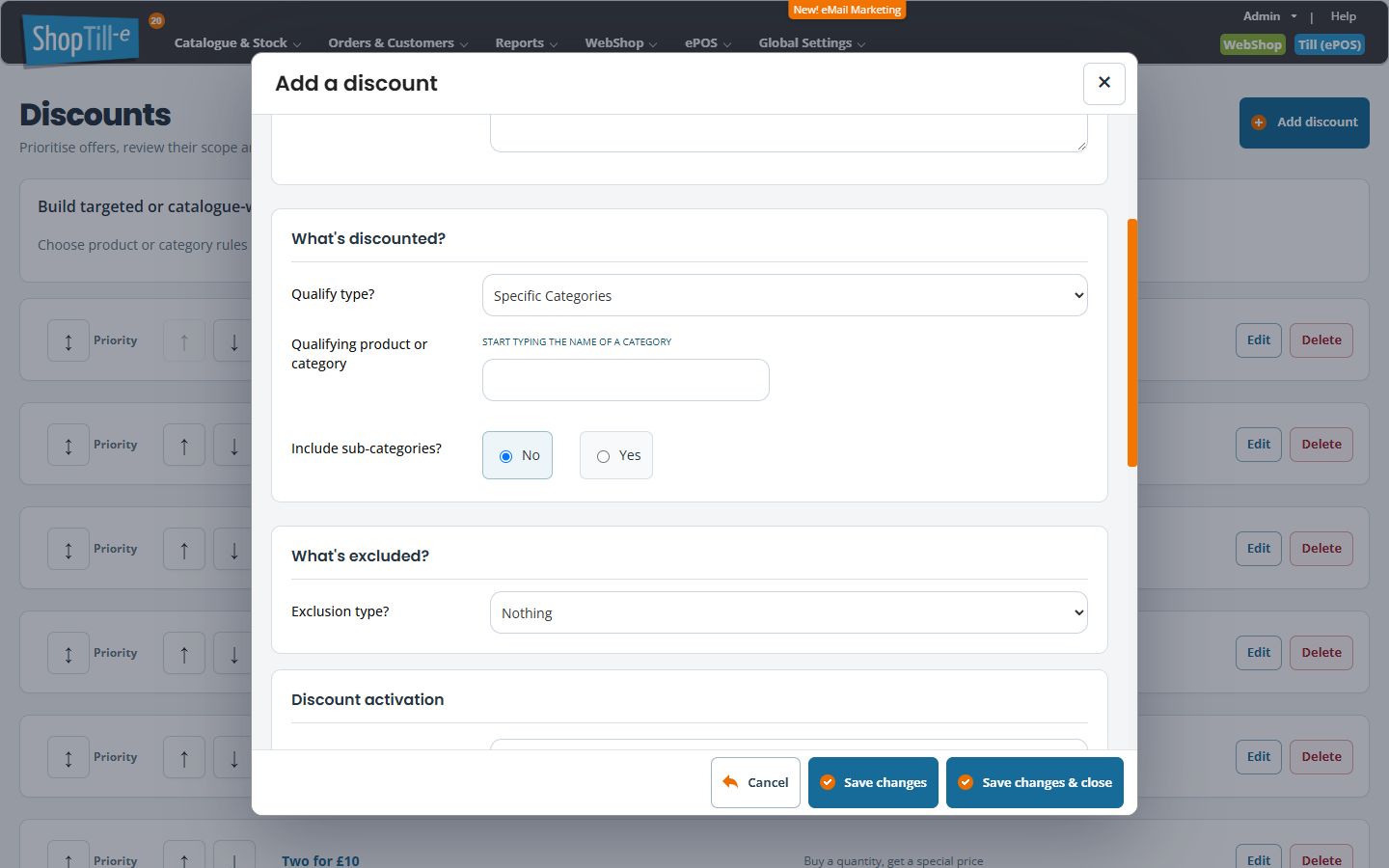
For suggestions, selected names, Remove and changing the range type, follow Select discount products, categories and exclusions. Check the selected list rather than leaving a name typed only in the search box.
Define activation and the benefit
- Review Discount code, Min. no. of items and Min. spend.
- Set the intended Discount method and Discount Amount together. Methods shown are None, Percentage, Money off and Total value.
- Review Maximum uses (0 means unlimited) and Apply to all quantity?. Do not leave these outside your test plan when a basket can contain several qualifying units.
- Review the dates, group and combination controls, then Live?.
- For an intended rule, use Save changes & close and reopen it to check every field. Use Cancel if you were only comparing the form.
Example: an offer within one department
For an offer intended only for a selected accessories category, choose Specific Categories and check whether its children should qualify. If a premium subrange is excluded, select and test that exclusion as well. A category name in the title does not create the eligibility rule.
Test single and repeated qualification
Compare a basket below the intended quantity with one that qualifies. Then test extra qualifying units, mixed qualifying/non-qualifying products, excluded items and applicable variants. Compare the calculated discount against the written offer before promoting it.
Test repeated quantities
Check both one qualifying batch and repeated batches. Compare the intended two-for-price examples before relying on a maximum-use value.
Related help
Spend-threshold offers · Review an existing rule · Till order discounts.
