
Prepare a spend-threshold discount
Use Spend amount, get a discount for a promotion built around spending. This type has a different form from a quantity offer.
Prepare the rule
- Open Catalogue & Stock → Discounts/Promotions/Offers and choose Add discount.
- Enter the intended Title and Description.
- Select Spend amount, get a discount in Discount type?.
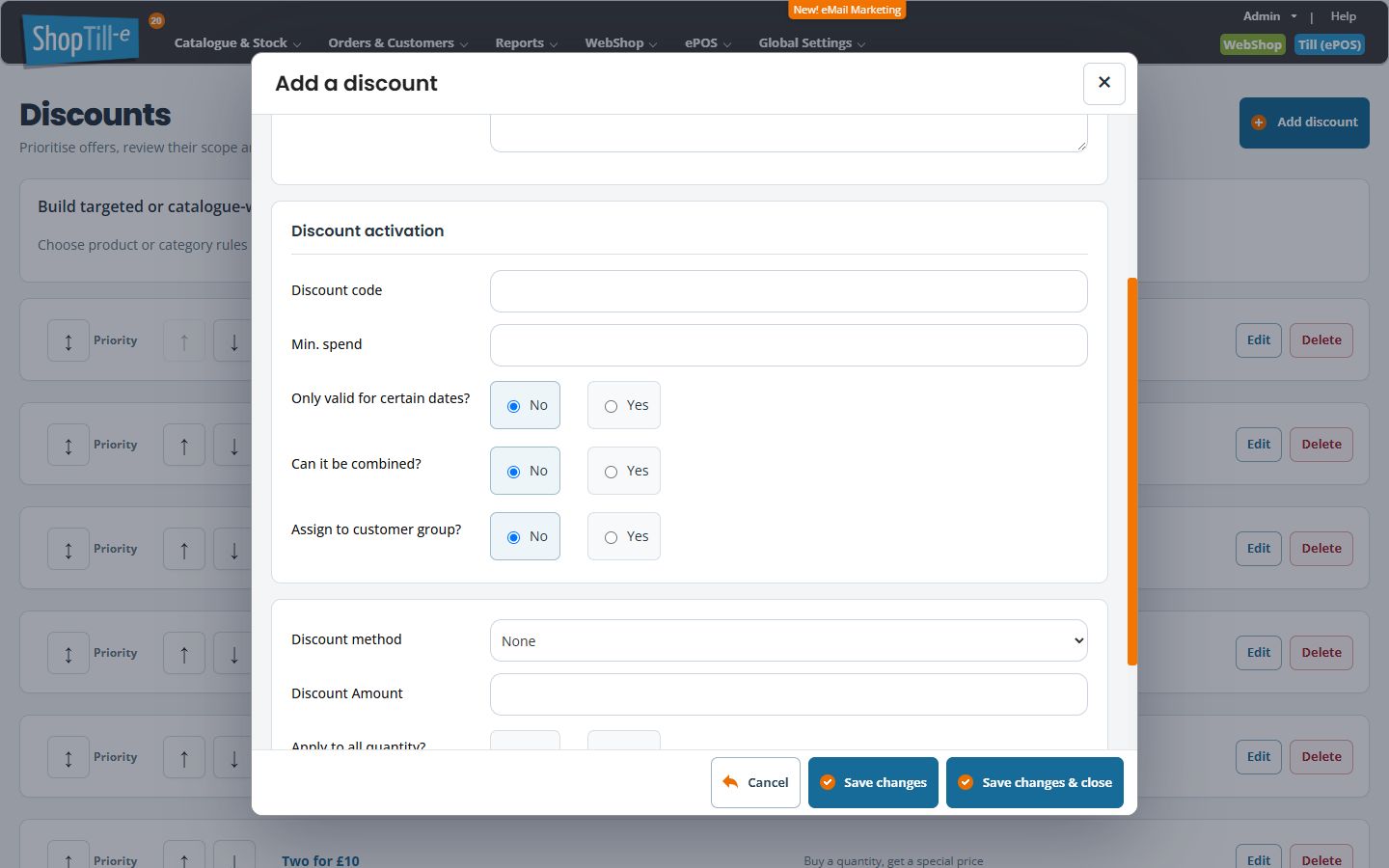
- Under Discount activation, review Discount code and enter the intended Min. spend.
- Review the date, combination and customer-group settings. Enabling dates or group assignment exposes additional fields.
- Choose Discount method and enter Discount Amount. Check the method as well as the number.
- Review Apply to all quantity? and Live? before saving an intended rule.
- Select Save changes & close, reopen the rule and compare the saved values with your intended offer.
Why fields differ from a quantity offer
The spend-rule form focuses on its minimum-spend threshold. Product-range, quantity and usage conditions need to be checked against the offer type you choose. If your intended promotion depends on a selected product range, review the quantity-based rule before choosing a type.
Changing an existing rule’s type
Record the existing settings before changing Discount type?. The fields shown differ between quantity and spend rules. After a change, review the whole form, save deliberately and reopen it to check the retained settings. Do not treat a field disappearing from view as confirmation that its previous value was cleared. Test both qualifying and non-qualifying baskets before using the revised offer.
Example: a discount above an intended spend
Write down the threshold and benefit, then compare test baskets just below, at and above the threshold. Check how shipping, tax, existing discounts and customer-group prices affect the qualifying amount before advertising what counts towards the threshold.
If the expected benefit does not apply
Reopen the rule and confirm its type, minimum spend, method, amount, dates, customer group and live state. Include the basket and other offers in your investigation rather than repeatedly changing the threshold.
Check the method you intend to use
Verify the intended method with a worked basket. In particular, confirm support for the selected type/method combination instead of assuming every dropdown choice produces the same kind of benefit. Use the threshold test cases.
Confirm Total value before using it for a spend offer
If you intend to choose Total value for Spend amount, get a discount, have support confirm that this particular type-and-method combination is supported for your intended offer before saving it as live or advertising a price. A method appearing in the selector does not by itself establish its calculation. Keep the proposed threshold, benefit and worked basket with that check.
