
Take a cash payment at the till
Check the basket and the amount physically received before selecting the cash tender. Recording a cash payment and printing its receipt are separate stages.
Review the sale
- Confirm products, options, quantities, customer and intended discounts.
- Check the basket’s To Pay.
- Select PAY to open Receive Payment.
- Read To Pay again and review any receipt note or Gift receipt choice needed for this sale.
Record the cash received
- Enter the actual amount received in Tendered, using the keypad as required. Check the whole amount before continuing.
- Select the configured Cash tender for the money received.
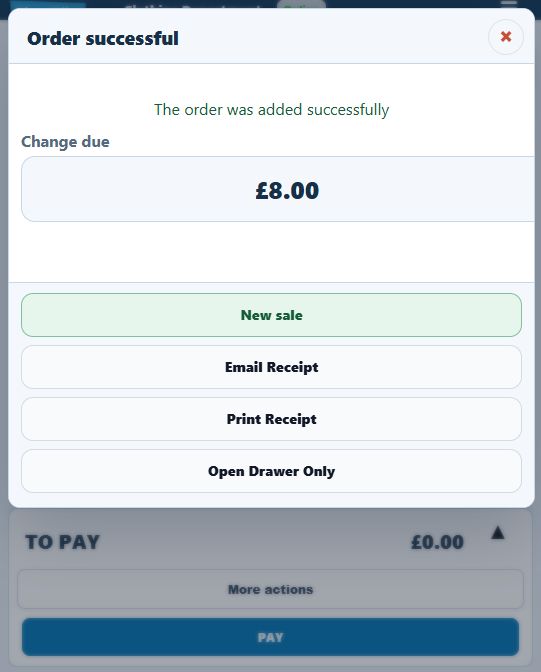
- Wait for the sale result. Check the saved/local-pending message and any Change due notice.
- Count the intended change back to the customer and complete the appropriate receipt workflow.
- Use New sale when the saved-sale screen is ready for the next customer.
Example: a £12 sale paid with £20
Enter 20.00 as Tendered for the £12 sale. The arithmetic change is £8. Compare that with the till’s actual result and the money you return. The example is not a substitute for checking the saved transaction.
Starting the next sale
After completing the saved sale, choose New sale and check that the basket is empty. If a Change due reminder appears with Tap to clear, check the change for the completed sale before dismissing the reminder.
When less than the balance is entered
A partial tender leaves a remaining amount. Review Paid and To Pay and follow the split-payment workflow if more than one tender is intended.
If saving or printing fails
Read the exact result before repeating any action. If the sale was not saved but money was received, keep the basket and payment evidence and use the recovery guidance. A missing paper receipt alone does not mean the payment or sale should be repeated.
